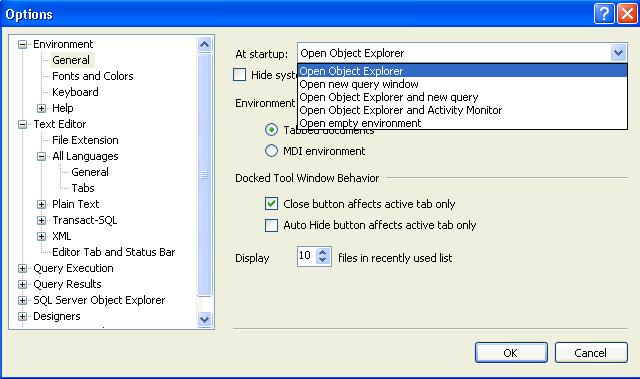
You can configure SSMS to startup with the below options. Default one is Open Object Explorer.
Go Tools –> Options –>Environment(page)–>General.
Options are self explanatory.
You can configure SSMS to startup with the below options. Default one is Open Object Explorer.
Go Tools –> Options –>Environment(page)–>General.
Options are self explanatory.
SQLWB (sqlwb.exe) /SSMS(SSMS.exe) is the executable file that launches SQL Server Management Studio. I am usually using it to launch the SQL Server management studio instead of navigating through Start -> All Programs -> SQL Server 2005 -> SQL Server Management Studio.
 Above command will launch the SQL Server 2005 Management Studio. You can launch the SQL2k8 management studio using SSMS.exe
You can also pass below list of argument with it, I am executing below command to see the list of parameters.
c:\sqlwb.exe -?

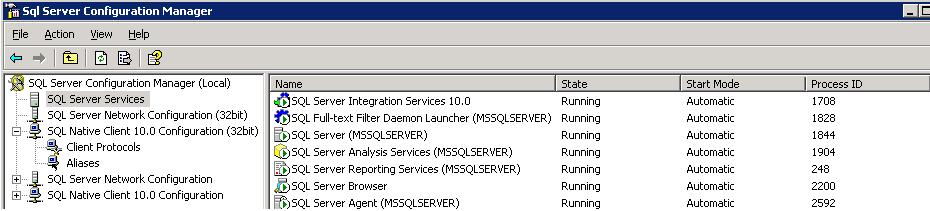
Go to All Programs -> Microsoft SQL Server 2008 -> Configuration Tools -> SQL Server Configuration Manager 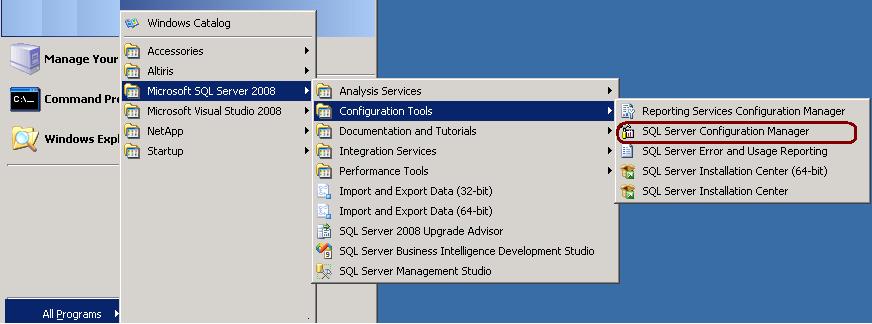 -> SQL Server Services
sys.dm_os_cluster_nodes
This view returns a row for each node in the failover cluster instance configuration. If the current instance is a failover clustered instance, it returns a list of nodes on which this failover cluster instance has been defined.
sys.dm_io_cluster_shared_drives
This view returns the drive name of each of the shared drives if the current server instance is a clustered server. If the current server instance is not a clustered instance it returns an empty rowset.
Permission
You must have VIEW SERVER STATE permission for the SQL Server instance.
–Shared Drives
SELECT *
FROM sys.dm_io_cluster_shared_drives
No we can’t restore it. SQL Server is not allowing the restore of higher version databases to a lower version. It is not possible to restore a database from a backup of a newer version to older version as database backups are not backward compatible.
You can do below workaround to transfer higher version database to lower version.
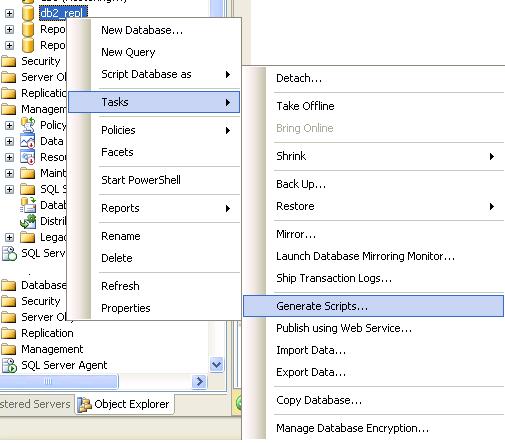
1. Generate database script. Right Click database -> Tasks -> Generate Scripts
2. Execute the script on the lower version server and it will create the database and its objects
3. Transfer data between these two databases using DTS/SSIS
 aiDeeva.com