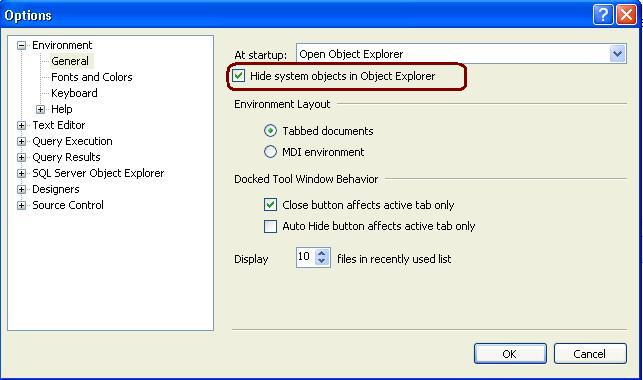
Open SSMS -> GO TO Tools -> Option and Check the below highlighted check box and restart the Management Studio. It will hide all the system objects in Object Explorer.
Open SSMS -> GO TO Tools -> Option and Check the below highlighted check box and restart the Management Studio. It will hide all the system objects in Object Explorer.

