Dear Readers,
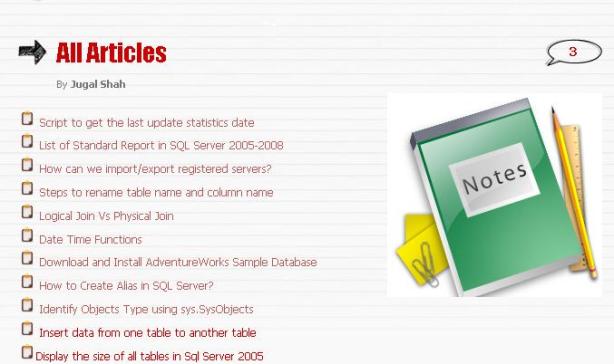
I have changed the All Articles Page of SQLDBPOOL.com. Now you can easily find out all the articles from the list.
Thanks,
Jugal Shah
Engineering notes from 2008–2014: SQL Server scripts, DBA quick-tips, and field notes from the trenches. Preserved as written — the foundation everything since was built on.
Dear Readers,
I have changed the All Articles Page of SQLDBPOOL.com. Now you can easily find out all the articles from the list.
Thanks,
Jugal Shah
You can insert the data from one table to another table using SELECT INTO and INSERT INTO with SELECT.. FROM clause.
— Below statement will create the temp table to insert records
select * INTO #tmpObjects from sys.sysobjects where type = ‘u’
— Below statement will create the user table to insert records.
— First will create the table and insert it details as well in new table
select * INTO tmpObjects from sys.sysobjects where type = ‘u’
–Below statement will insert new data into table
insert into tmpObjects SELECT * from sys.sysobjects where type = ‘s’

NTITLE() function is used to break up a record set into a specific number of groups.
SELECT NTILE(3) OVER (ORDER BY Age) AS [Group by Age],

       EmpName,

       Age

  FROM Emp
Group by Age EmpName Age
-------------------- --------- -----------
1 Bill 11
1 Dhvani 20
1 Nehal 20
2 R 30
2 Abhinav 40
2 Suvrendu 40
3 Nirmal 50
3 Sunil 95
3 Ram 100
(9 row(s) affected)
Dense_Rank() :- The DENSE_RANK function is similar to the RANK function, although this function doesn’t produce gaps in the ranking numbers. Instead this function sequentially ranks each unique ORDER BY value. With the DENSE_RANK function each row either has the same ranking as the preceeding row, or has a ranking 1 greater then the prior row.
CREATE TABLE Emp(

EmpName VARCHAR(9),

Age INT,

MaritalStatus char(1))
INSERT INTO Emp VALUES ('Abhinav',40,'S')
INSERT INTO Emp VALUES ('Dhvani',20,'M')
INSERT INTO Emp VALUES ('Nehal',20,'M')
INSERT INTO Emp VALUES ('Sunil',95,'M')
INSERT INTO Emp VALUES ('Suvrendu',40,'M')
INSERT INTO Emp VALUES ('Bill',11,'S')
INSERT INTO Emp VALUES ('Ram',100,'S')
INSERT INTO Emp VALUES ('Nirmal',50,'S')
INSERT INTO Emp VALUES ('R',30,'S')
SELECT Dense_RANK() OVER (ORDER BY Age) AS [Rank by Age],
EmpName,
Age
FROM Emp
Rank by Age EmpName Age
-------------------- --------- -----------
1 Bill 11
2 Dhvani 20
2 Nehal 20
3 R 30
4 Abhinav 40
4 Suvrendu 40
5 Nirmal 50
6 Sunil 95
7 Ram 100
(9 row(s) affected)
SELECT Dense_RANK() OVER (PARTITION BY MaritalStatus ORDER BY Age) AS [Partition by MaritalStatus],
EmpName,
Age,
MaritalStatus
FROM emp
Partition by MaritalStatus EmpName Age MaritalStatus
-------------------------- --------- ----------- -------------
1 Dhvani 20 M
1 Nehal 20 M
2 Suvrendu 40 M
3 Sunil 95 M
1 Bill 11 S
2 R 30 S
3 Abhinav 40 S
4 Nirmal 50 S
5 Ram 100 S
(9 row(s) affected)

