
You can enable database mail feature using Surface area configuration tool or using SP_Configure procedure.
use master

go

sp_configure 'show advanced options',1

go

reconfigure with override

go

sp_configure 'Database Mail XPs',1

--go

--sp_configure 'SQL Mail XPs',0

go

reconfigure

go
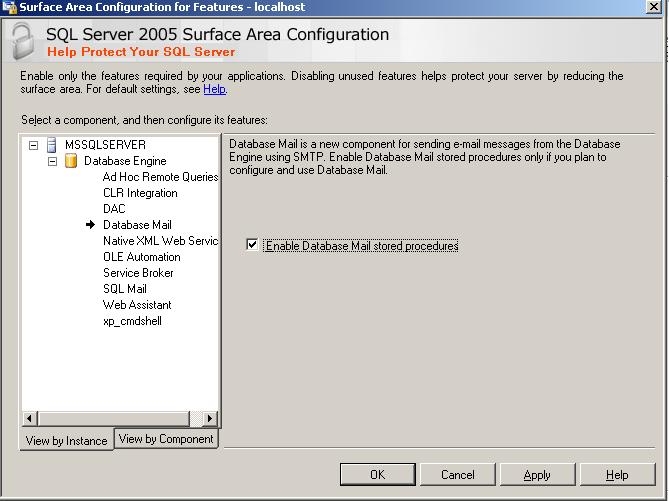
Using Surface Area Configuration
1. Select Surface area configuration for features

2. Go to database page and click on check box.


Thanks for the comment, will get back to you soon… Jugal Shah