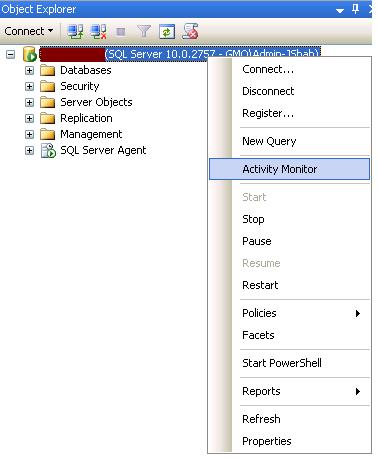
To start Activity Monitor in SQL Server 2008 SSMS, right-click on the SQL Server name you want to monitor.

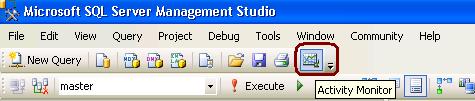
From SQL Server 2008 Management Studio’s toolbar, click Activity Monitor as shown in the snippet below.
To start Activity Monitor in SQL Server 2008 SSMS, right-click on the SQL Server name you want to monitor.
From SQL Server 2008 Management Studio’s toolbar, click Activity Monitor as shown in the snippet below.


Thanks for the comment, will get back to you soon… Jugal Shah