Step 1: Open SSMS
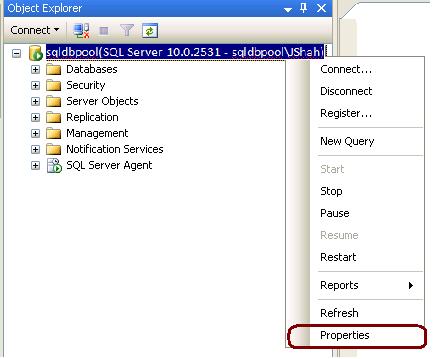
Step 2: Connect to desire Server and right click on the server (for i.e. sqldbpool) and Select properties
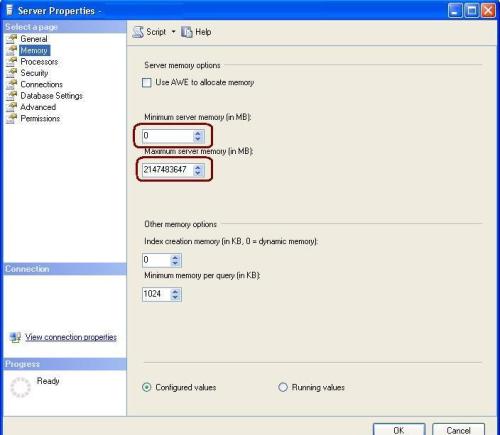
Step 3: Click on memory tab and configure Min and Max memory

Step 1: Open SSMS
Step 2: Connect to desire Server and right click on the server (for i.e. sqldbpool) and Select properties
Step 3: Click on memory tab and configure Min and Max memory

It is really much helpfull information about Memory Management.
Could you please give me some idea about, How to limit the usage of CPU in sql server 2005?


Thanks for the comment, will get back to you soon… Jugal Shah