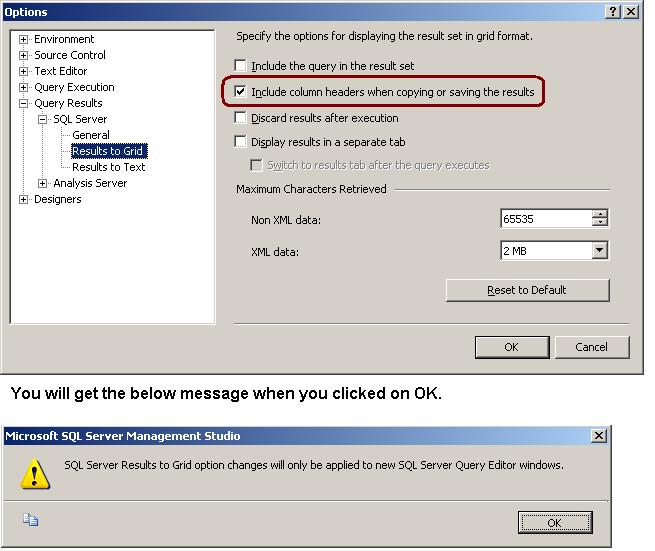
Many times when we are copying result from the Result Set GRID, column headers are not copied with it. To copy the column header you have to enable it.
Go to Tools menu -> Option -> Query Results -> SQL Server -> Results to Grid -> Checked the “Include column headers when copying or saving the result”check box
 aiDeeva.com