You can move the job using one of the below technique.
Using SSIS
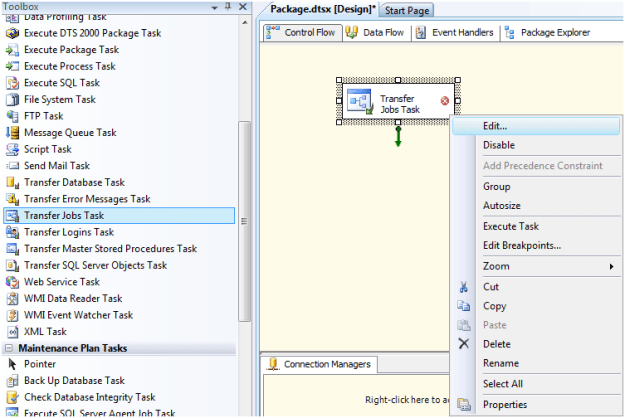
You can use the transfer Jobs Task in SSIS to move the job to different SQL Instance. Right Click on Transfer Jobs task and click on Edit…
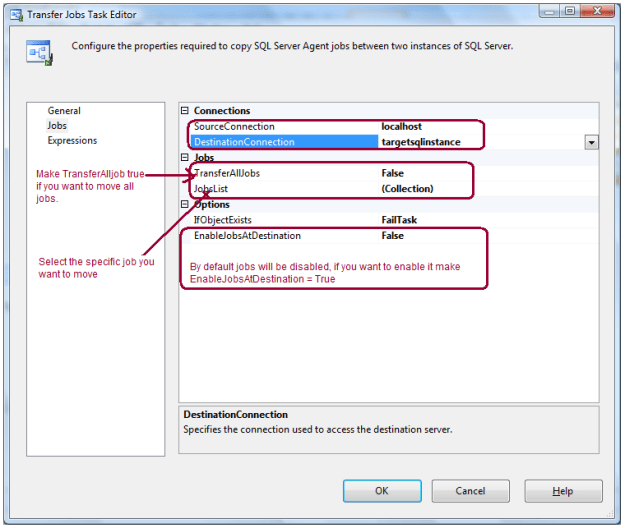
Specify the Source Connection and Destination Connection in Jobs page. Here you have options, you can either transfer all jobs or select the specific job from the job list drop down.
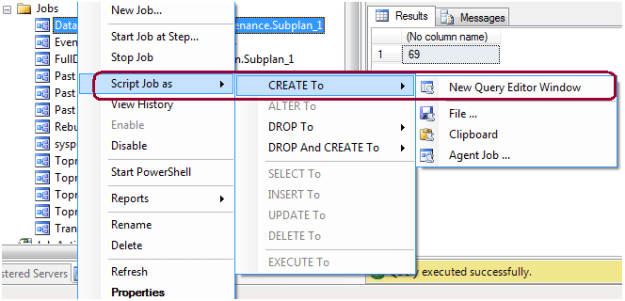
By Scripting Out Job
You can also move the job by scripting it out.
You can also restore the MSDB database on target SQL Box if it is the same SQL version and there is no other jobs exist there.
 aiDeeva.com
Nice Article….
Hi,
I have one query regarding transfer job from closed source connection to destination.
How is it possible? Any hint. (I have one is AlwaysOn. It is not tried with Transfer Job Task)
Thanks,
Jiken