IIS is mandatory for the Virtual Server installation, in this article I will guide you how you can install the IIS on windows 7 or windows vista.
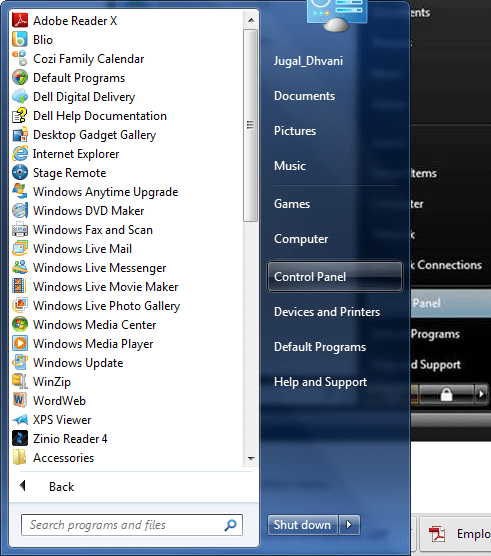
Step 1: click Start, and then click Control Panel
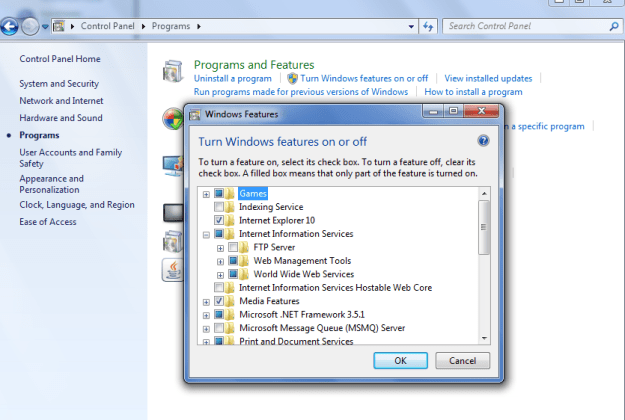
Step 2: In the Control Panel, click Programs then Click Turn Windows features on or off and from Windows Features dialog box Select Internet Information Services to choose the default features for installation.
 aiDeeva.com