Author Archives: Jugal Shah

Unknown's avatar

About Jugal Shah

Jugal Shah has 19 plus years of experience in leading and managing the data and analytics practices. He has done the significant work in databases, analytics and generative AI projects. You can check his profile on http://sqldbpool.com/certificationawards/ URL.

Central Management Server

Central Management Server
SQL Server Central Management Server is just a central repository that holds a list of managed servers. Microsoft has introduced CMS feature in SQL Server 2008 SSMS.

Use of Central Management Server
1. Multiple Server Query Execution, we can execute query against multiple servers and get the result at source.
2.Centralize the management and administration of a number of SQL Server instances from a single source can allow the DBA to save significant time and effort.
3.Evaluate policy against the multiple server from single source.
4.Control Services and bring up SQL Server Configuration Manager
5.Import and export the registered servers:

Pre-requisite:
You must have at least 1 SQL Server 2008 instance which can be used as CMS

Steps to Create CMS and Register Server
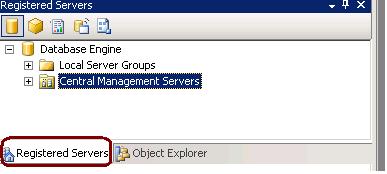
1. Open the “Registered Servers” from the “View” Menu in the management studio of SQL server 2008.
2. Right click on the Central Management Servers and select “Register Central Management Server” and Register the SQL Server 2008 instance as CMS.
3. Create the groups under Registered CMS servers to define the group for each server.
4. Right Click on groups and register the all the SQL Server instances as per their group. (SQL Server 2000,2005 and 2008)
SQL Profiler

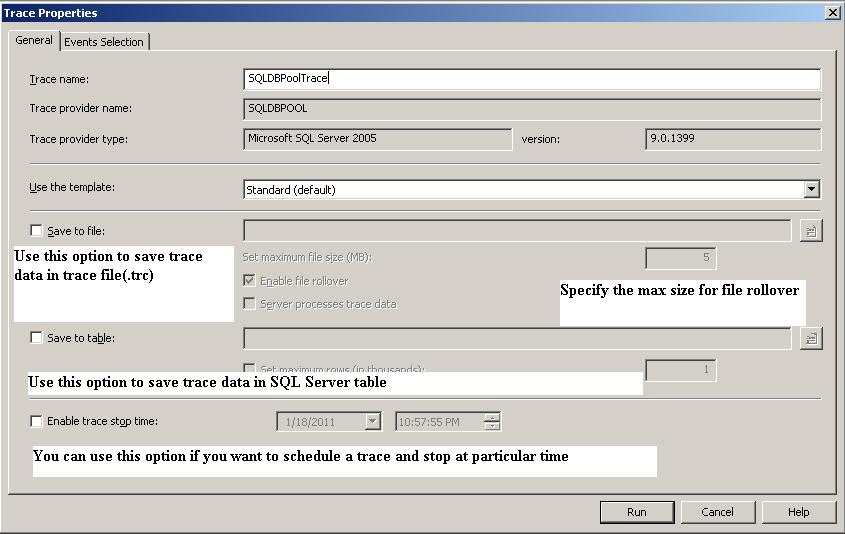
SQL Server Profiler is a graphical tool that helps in the monitoring of an instance of SQL Server Database Engine or Analysis Services. SQL Profiler is a tool which monitors the events and activity running on a SQL Server instance. The results can be saved to a file or inside a SQL Server table. We can replay this saved trace. Profiler is mostly used in stress testing a server, analyzing performance, debugging TSQ statements, and auditing SQL Server activity.

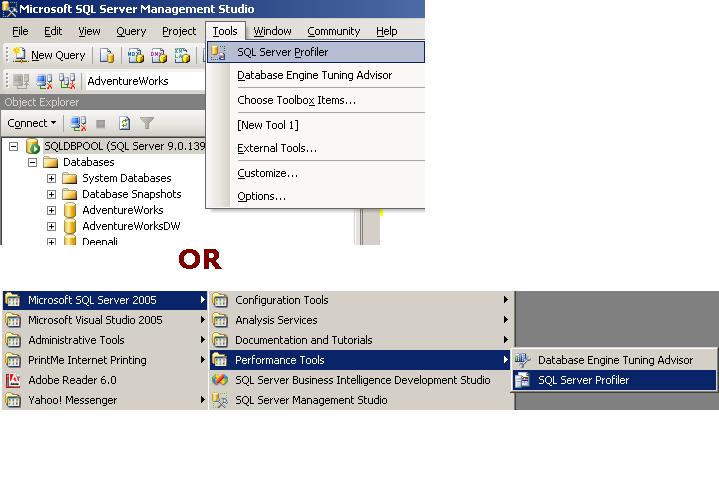
See below image to see how to open SQL Profiler

See below list for the Key terms associated with profiler.

Event is an action that is generated within an instance of a SQL Server Database Engine. These could be login failure, connection failure or any disconnection. It will include events such as T-SQL statements, remote procedure call batch status, the start or end of a stored procedure, the start or end of statements within a stored procedure and so on.. These are displayed in the trace in a single row intersected by data columns with descriptive details.

Event Class is an event that can be traced and contains all of the data that can be reported by the event. For example SQL: Batch completed for instance is an event class

Event Category defines the methodology used for grouping events within the SQL Server Profiler. For instance lock events will be categorized under Lock event category.

Data Column is an attribute of an event class that is captured in the trace.

Template is the default configuration for a trace. It includes the event classes that are required for monitoring.

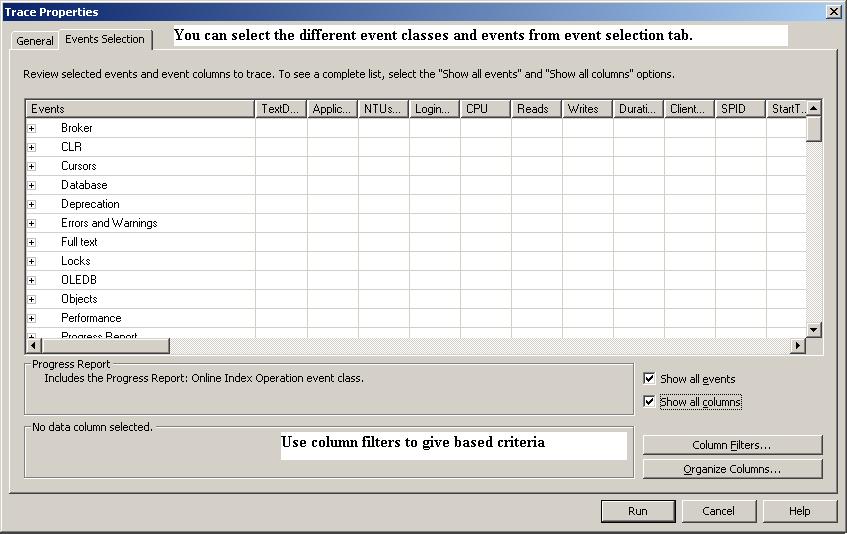
Trace captures data based on selected event classes, data columns and filters.

Filter Data can be filtered by specifying criteria of selection during the execution of an event. This feature is used to reduce the size of the Trace.

Event Selection Tab

You can use fn_trace_gettable function to read the trace file.

SQL Server Services

As per the options you choose during the SQL Server installation, it will install below services on server.

SQL Server Database Services – The service is used for SQL Server relational Database Engine.

SQL Server Agent – is used for scheduling. It executes jobs, monitors SQL Server, send alerts, and enables automation of some of the administrative tasks.

Analysis Services – Provides online analytical processing (OLAP) and data mining functionality for business intelligence applications.

Reporting Services – Manages, executes, creates, schedules, and delivers reports.

Integration Services –is used for SSIS package. It provides management support for Integration Services package storage and execution.

SQL Server Browser – The name resolution service that provides SQL Server connection information for client computers. It is used for named instance only.

Full-text search – Provided full text index and searching facility for BLOB columns.

SQL Server Active Directory Helper – Publishes and manages SQL Server services in Active Directory.

SQL Writer – Allows backup and restore applications to operate in the Volume Shadow Copy Service (VSS) framework.

Copying column headers with grid query results in SQL Server Management Studio

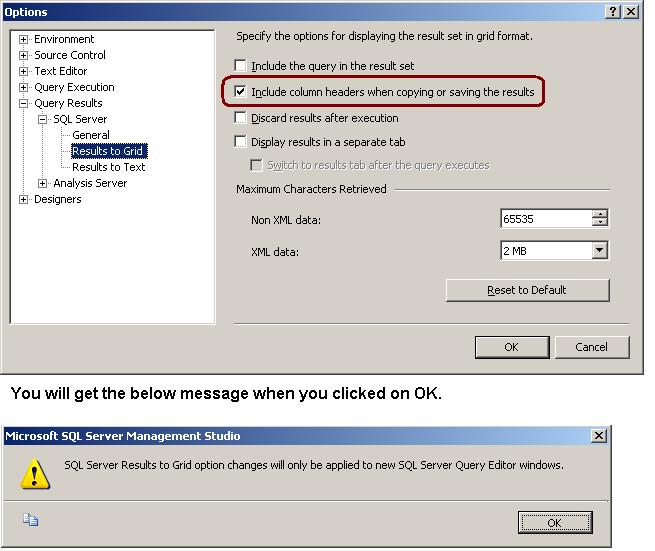
Many times when we are copying result from the Result Set GRID, column headers are not copied with it. To copy the column header you have to enable it.

Go to Tools menu -> Option -> Query Results -> SQL Server -> Results to Grid -> Checked the “Include column headers when copying or saving the result” check box