Category Archives: Database

Copying column headers with grid query results in SQL Server Management Studio

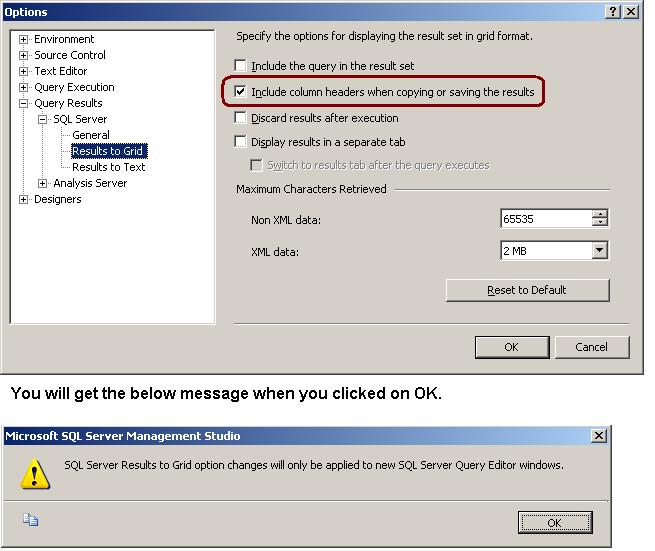
Many times when we are copying result from the Result Set GRID, column headers are not copied with it. To copy the column header you have to enable it.

Go to Tools menu -> Option -> Query Results -> SQL Server -> Results to Grid -> Checked the “Include column headers when copying or saving the result” check box

How can we export and import registered servers using SSMS?

In our organization we have number of SQL Server instances which are grouped by their Business Unit, Environment (PRD, DEV etc). For new joiners, it is hard to find out the list servers in absence of CMDB. As a solution, you can ask your team member to give you the list of registered servers by doing using server import/export option.

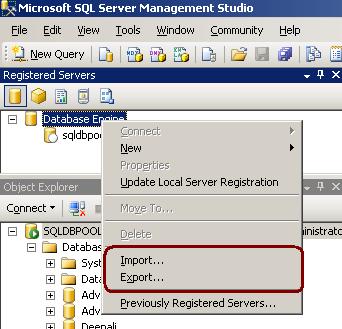
1. In Registered Servers, right-click a server group, and then click Export.See below image for more information.
2.In the Export Registered Servers dialog box, from the Server Group list select the location where you would like to save the registered server information, in the Export file box type a name for the exported file, and then click Save.
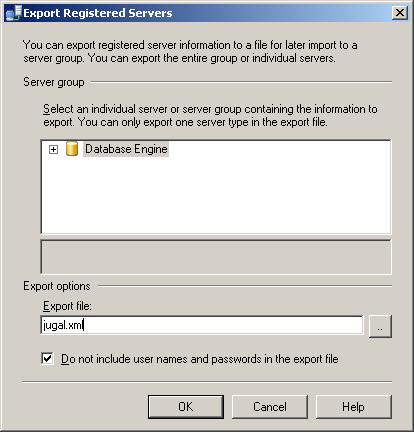
SQL Server will create the file with .RegSvr extension which stores server info in XML format.
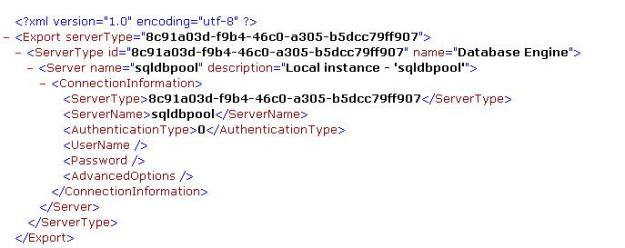
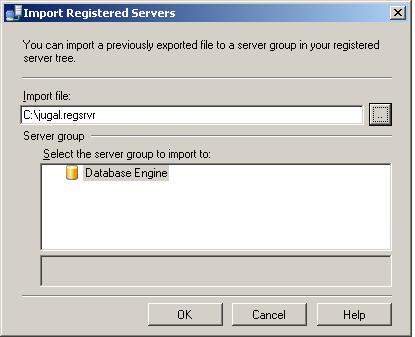
In Registered Servers, right-click a server group, and then click Import and select the export file with .RegSvr extension. See below image for more information.
How to rename Column Name and Table Name?

We can use sys.SP_Rename procedure to rename the column and table in SQL Server.

CREATE TABLE empl
(
name VARCHAR(20),
remarks VARCHAR(100)
)

–syntax to rename column
EXEC sys.Sp_rename
@objname = ‘table_name.old_column_name’,
@newname = ‘new_column_name’,
@objtype = ‘COLUMN’

–rename column example
EXEC sys.Sp_rename
@objname = ’empl.name’,
@newname = ’empname’,
@objtype = ‘COLUMN’


–rename table name Old Table Name and New Table Name
EXEC sys.Sp_rename
’empl’,
’empInfo’
EXEC sys.Sp_rename

Logical Joins and Physical Joins

Logical Joins: INNER JOIN, RIGHT/LEFT OUTER JOIN, CROSS JOIN, OUTER APPLY. This joins are written by the user.

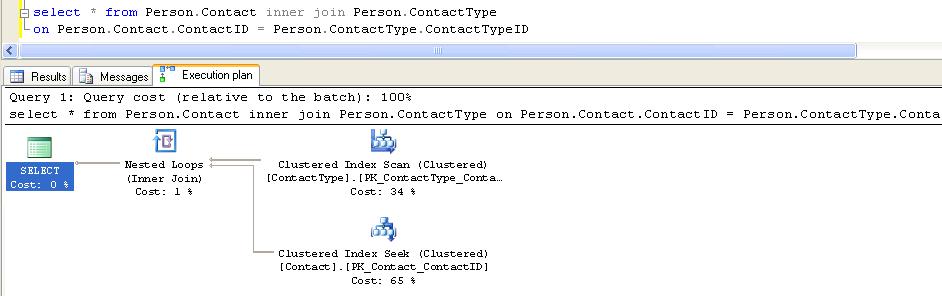
Physical Joins: Nested loop, merge join and hash join is common operators which we will see in execution plan as long as query contains any logical joins (inner join, outer join, cross join, semi join). These three joins are called Physical Joins.

In below example I have executed query against AdventureWorks database with Inner Join. You can see the Nested Join in Execution Plan.