Check out my new article
Steps to clear the server list in SQL Server Management Studio on MSSQLTIPS.com.
http://mssqltips.com/tip.asp?tip=2319
Policy-base Management is a new feature in SQL Server 2008 that helps SQL Server administration. It allows us to define and enforce policies for configuring and managing SQL Server across the enterprise. The policy-based framework implements the policies behind the scene with a Policy Engine, SQL Server Agent jobs, SQLCLR, DDL triggers and Service Broker. Policies can be applied or evaluated against a single server or a group of servers.
To understand PBM we have to understand the below terms.
Target – an entity that is managed by PBM (i.e. database, table, index, etc.)
Facet – a predefined set of properties that can be managed
Condition – a property expression that evaluates to facets on target and returns True or False;
Policy – a condition to be checked and/or enforced
Expand the Management Node to use the PBM.
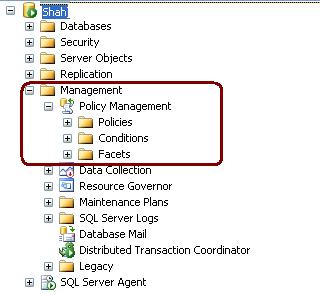
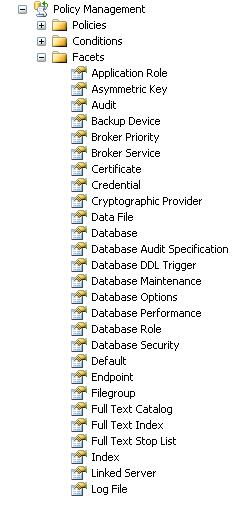
Expand the facets node to checkout the facets.
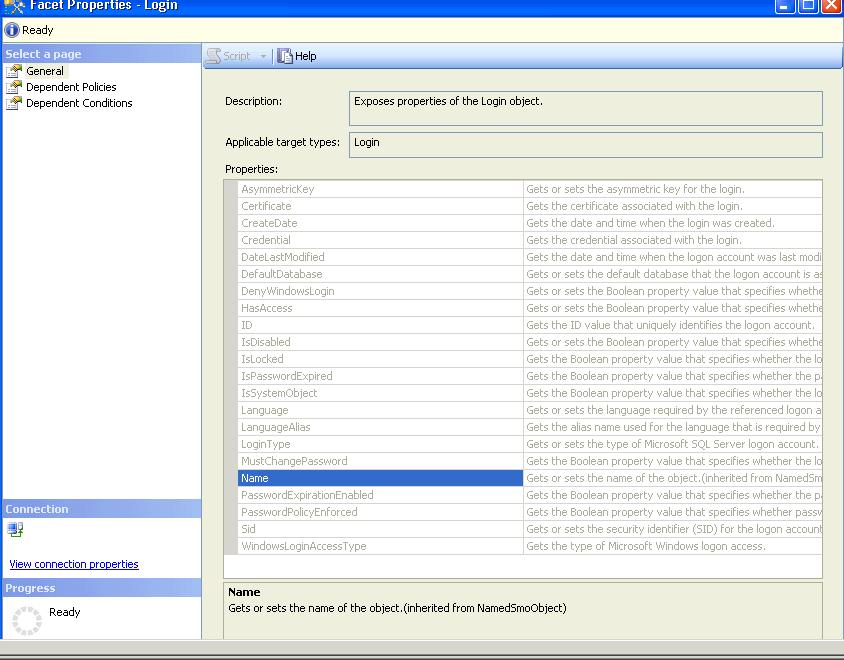
To Check out facets properties double click on facets. I have clicked on Login Facets. These facet properties are used to specify a condition
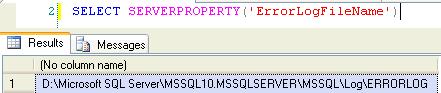
You can use Server Property errorlogfilename to get the error log file path.
SELECT SERVERPROPERTY(‘ErrorLogFileName’)
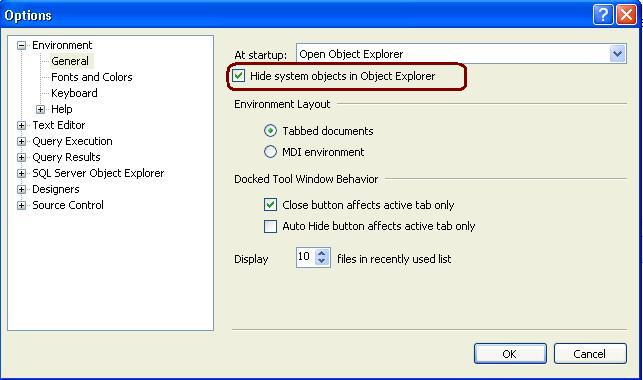
Open SSMS -> GO TO Tools -> Option and Check the below highlighted check box and restart the Management Studio. It will hide all the system objects in Object Explorer.
Setting up Log Shipping for SQL Server is not that difficult, but having a step by step process is helpful if this is the first time you have setup Log Shipping. In this tip we walk through the steps to setup Log Shipping.
To read the step by step Log-Shipping steps CLICK ME to read it.
Or Open http://mssqltips.com/tip.asp?tip=2301 link
 aiDeeva.com