In case you have configured SQL Instance to use the static TCP/IP port number. You can connect SQL Server as below using SSMS.
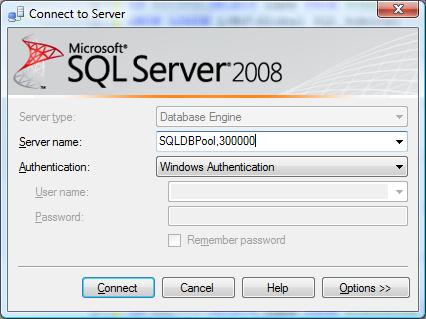
In case you have configured SQL Instance to use the static TCP/IP port number. You can connect SQL Server as below using SSMS.
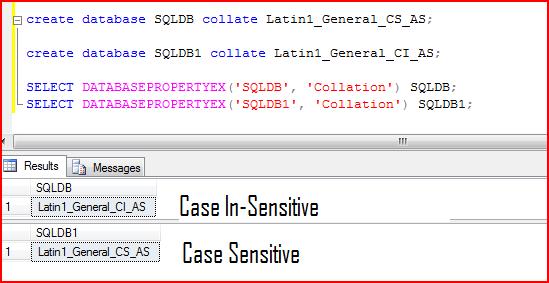
One of my blog reader has asked how to create the database with different collation. You can create the database with different collation using below script.
create database SQLDB collate Latin1_General_CS_AS;
go
create database SQLDB1 collate Latin1_General_CI_AS;
go

SELECT DATABASEPROPERTYEX('SQLDB', 'Collation') SQLDB;
SELECT DATABASEPROPERTYEX('SQLDB1', 'Collation') SQLDB1;
Recently I got a requirement to drop all SQL Logins from the SQL Server. I have created below script to drop all SQL Login.
Before getting into detail, please take a note that “A login cannot be dropped while it is logged in. A login that owns any securable, server-level object, or SQL Server Agent job cannot be dropped”
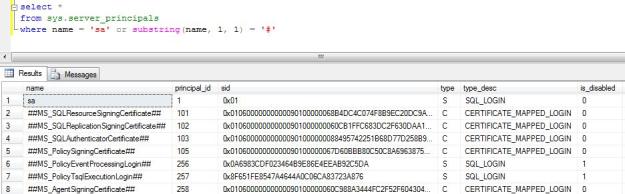
SA login account and the few policy certificates also come in SQL Login type, I have excluded them.
select *
from sys.server_principals
where name = 'sa' or substring(name, 1, 1) = '#'
select 'DROP LOGIN ' + [name]
from sys.server_principals
where type_desc = 'SQL_LOGIN'
and sid <> 0x01 and substring(name, 1, 1) <> '#'
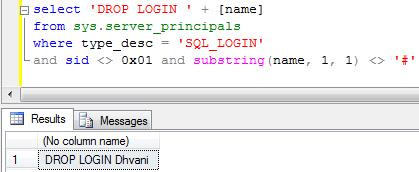
Next step is to execute the output of the above query.
Problem
Recently I had an issue while dropping an orphaned user for an obsolete login. I was unable to drop the user and it failed with the below error messages.
Msg 15421, Level 16, State 1, Line 1

The database principal owns a database role and cannot be dropped.

Msg 15138, Level 16, State 1, Line 1

The database principal owns a schema in the database, and cannot be dropped.</code
It is a best practice to keep the SQL Agent Job owner to SA or Service Account. Please don’t make the job owner to any user’s windows ID. If the employee left the company his ID will be terminated and access will be revoked.
You can find out the jobs owner by executing the below query.
SELECT
j.name,
l.[name] as [JobOwner]
FROM MSDB.dbo.sysjobs j
INNER JOIN Master.dbo.syslogins l
ON j.owner_sid = l.sid
ORDER BY j.[name]
You can change the job owner by executing the below query.
EXEC MSDB.dbo.sp_update_job
@job_name = 'Job Name',
@owner_login_name = 'sa'
 aiDeeva.com