Problem: Take an example you are writing a script which is going to be deployed on the all the versions of SQL Servers and you want to check the SQL Server version details using T-SQL code. Below solution will guide you how to check the SQL Server version in stored procedure/t-sql batch.
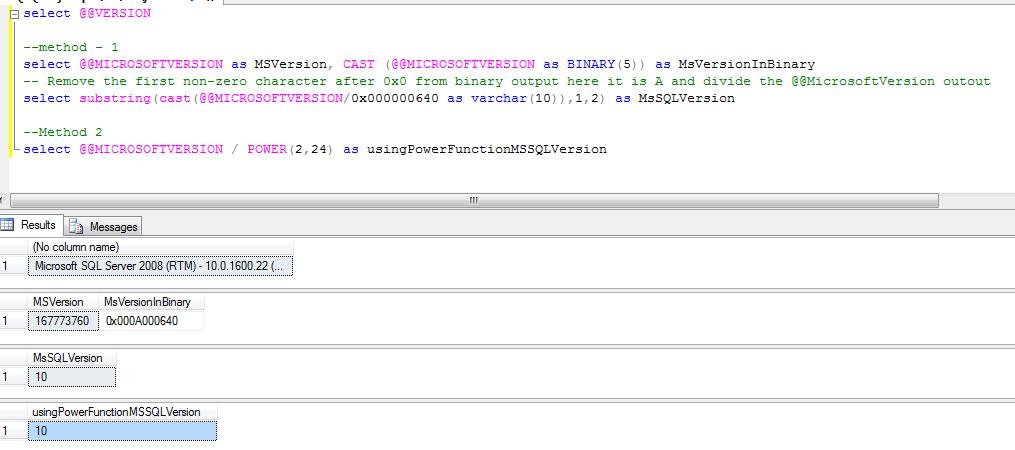
Solution: You can use the @@MICROSOFTVERSION to get the SQL Server version information. If the output of the below script is 9 than its SQL 2005, if 10 than SQL Server 2008 and if 11 than SQL Server 2011
select @@VERSION

--method - 1
select @@MICROSOFTVERSION as MSVersion, CAST (@@MICROSOFTVERSION as BINARY(5)) as MsVersionInBinary
-- Remove the first non-zero character after 0x0 from binary output here it is A and divide the @@MicrosoftVersion outout
select substring(cast(@@MICROSOFTVERSION/0x000000640 as varchar(10)),1,2) as MsSQLVersion

--Method 2
select @@MICROSOFTVERSION / POWER(2,24) as usingPowerFunctionMSSQLVersion
 aiDeeva.com